
995Views
How to check the status of fund transfer?
To check the status of your fund transfer, follow these steps:
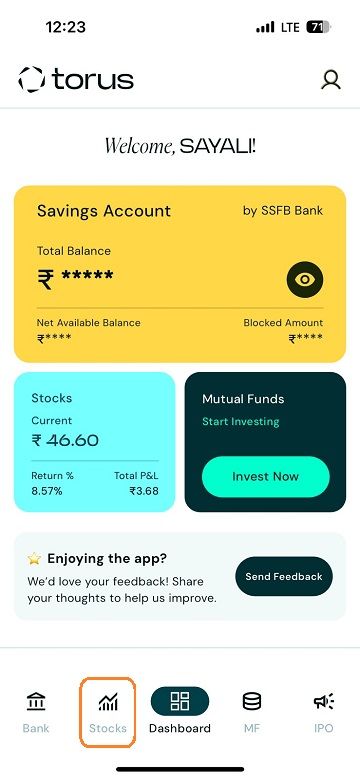
Navigate to Funds Page: Log in: Access your Torus account through the app. Click on "Stocks"
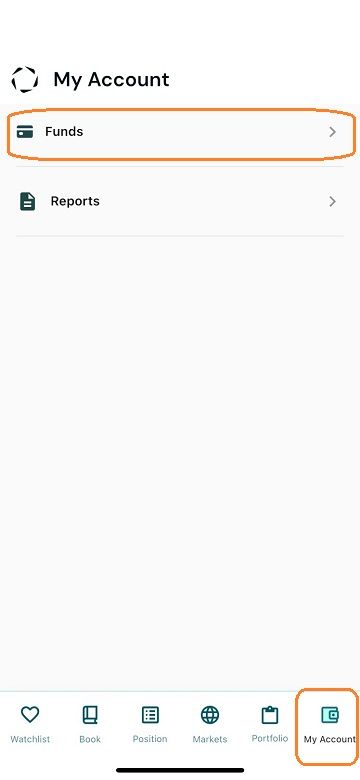
![Fund History1-2.jpg]() Go to the My Account Section: Select the "Funds" section.
Go to the My Account Section: Select the "Funds" section.
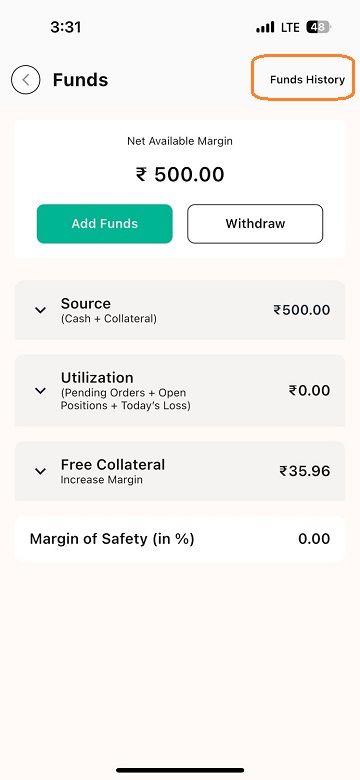
![Fund History2-2.jpg]() Access Funds History: At the top of the screen, you will see three options: "Add Funds," "Withdraw Funds," and "Funds History." Select "Funds History."
Access Funds History: At the top of the screen, you will see three options: "Add Funds," "Withdraw Funds," and "Funds History." Select "Funds History."
![Fund History3-2.jpg]()
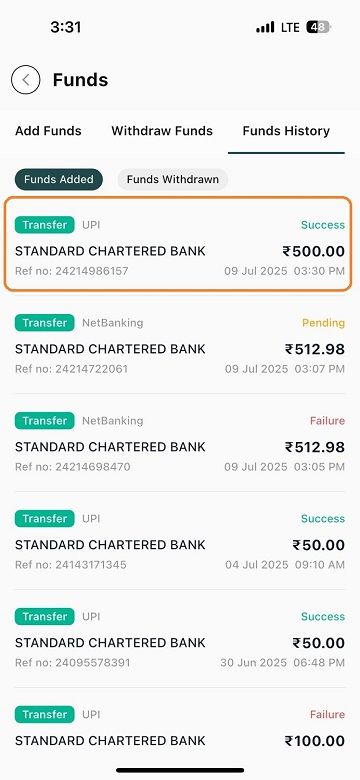
View Transaction Status:
![Fund History4-1.jpg]()
Navigate to Funds Page: Log in: Access your Torus account through the app. Click on "Stocks"
View Transaction Status:
- If the funds have been successfully added, the status will show as "Success."
- If the funds are still being transferred, the status will show as "Pending."
- If the transaction was canceled or an error occurred, the status will show as "Failure."
Last updated: A Year Ago


995Views
Add Funds
 How can I transfer funds to my Torus Digital account?
- How to transfer funds through UPI?
- How to transfer funds through Net Banking?
- How to transfer funds to my Torus account using IMPS, NEFT, or RTGS?
- How long will it take for the funds to get added in my Torus Digital account?
- I have transferred funds, but it is not updated in my ledger or margin.
- My funds transfer failed but funds got deducted. When will the amount be credited back to my account?
- If registered bank account is closed, can a I still add funds from another account? Is this possible?
- Does the bank account need to be registered to add funds via net banking?


