
558Views
How can I cancel or modify my Order?
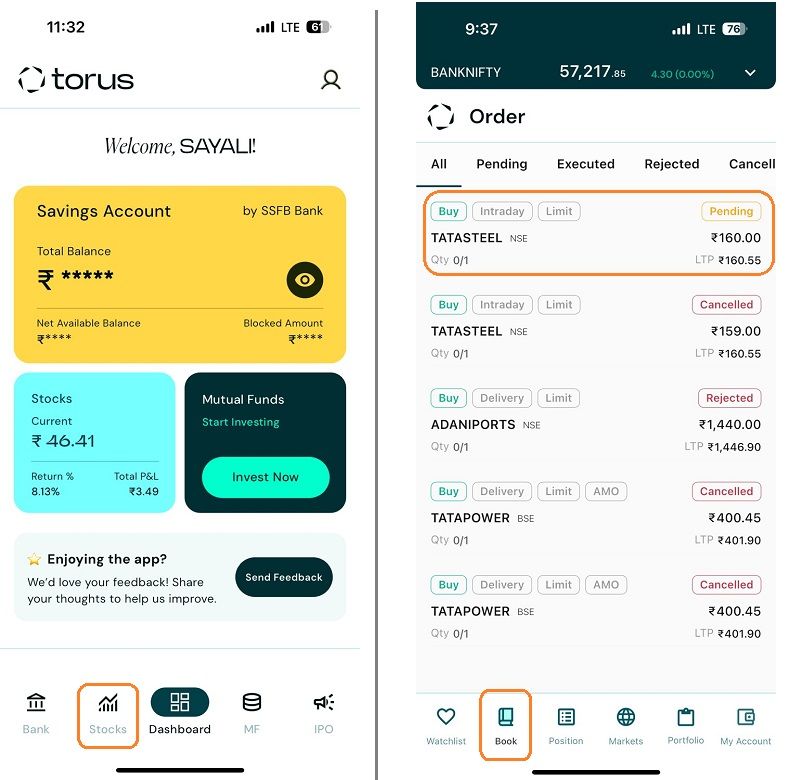
Step 1: Select “Stocks” from Torus app
Step 2: Open the Book Section, navigate to the "Order" tab from the bottom menu. Select the Order which you want to Modify or Cancel. Find the specific pending order from the list of your active orders. Tap on the order to open the details.
![cancel order 1-2.jpg]()
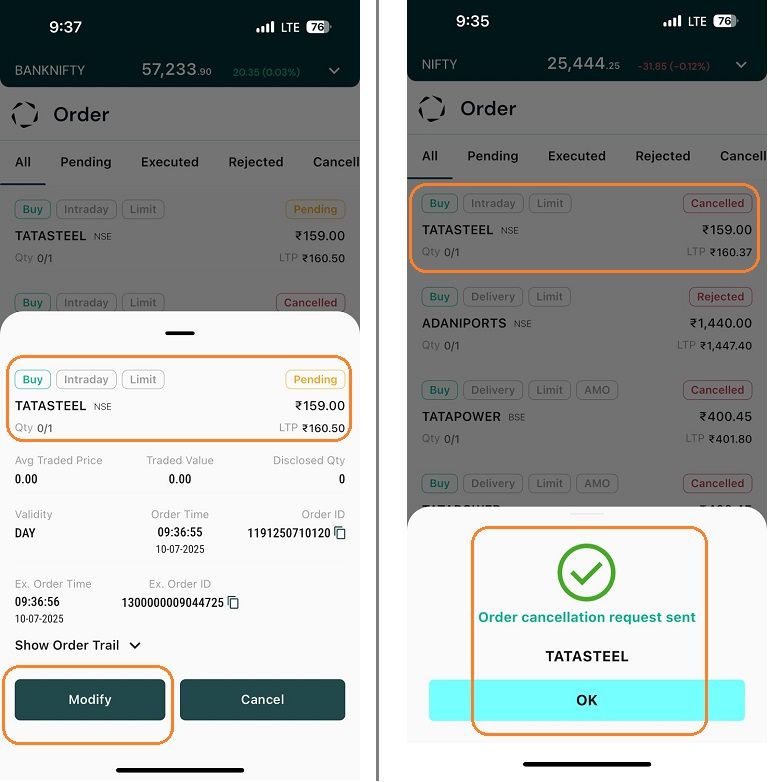
Step 3: You’ll see options to " Modify " or " Cancel " at the bottom of your screen. From there, you can choose to either modify or cancel your order.
![cancel order 3-1.jpg]()
Step 2: Open the Book Section, navigate to the "Order" tab from the bottom menu. Select the Order which you want to Modify or Cancel. Find the specific pending order from the list of your active orders. Tap on the order to open the details.
Step 3: You’ll see options to " Modify " or " Cancel " at the bottom of your screen. From there, you can choose to either modify or cancel your order.
Last updated: A Year Ago


558Views
Stocks
 How to transfer shares from other DP to Torus DP
- How to place buy or sell order?
- How to modify order?
- How much leverage is provided for Intraday orders?
- How can I convert my order from Intraday to Delivery?
- How to create a Watchlist?
- Why has the order placed not executed?
- Can I place AMO Orders in Intraday?
- What happens if I don't square off my intraday positions ?
- Can I place Intraday Orders in pre-open session?


