
517Views
How to Exit Positions?
You can exit positions entirely or partially in two ways:
From the Positions Tab (Bottom Menu):
![Slide1.jpg]()
From the Y-axis / Strike Interface:
![Slide2-2.jpg]()
![Slide3-1.jpg]()
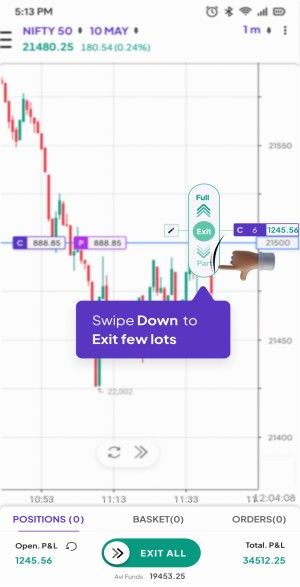
Swipe down to exit a partial quantity.
![Slide4-1.jpg]()
Use the lot selector to choose quantity.
![Slide5 (1).jpg]()
Tap the ✅ tick icon to confirm.
![Slide6 (1).jpg]()
From Positions List (Bottom Slide-up Panel):
![Slide7 (1).jpg]()
![Slide8.jpg]()
![Slide9.jpg]()
![Slide10.jpg]()
From the Positions Tab (Bottom Menu):
- Tap Positions tab.
- To exit all positions: Use the Swipe to Exit All button.
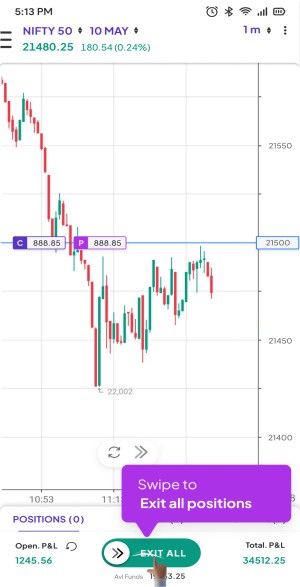
From the Y-axis / Strike Interface:
- Tap on the strike with the open position on Y-axis.
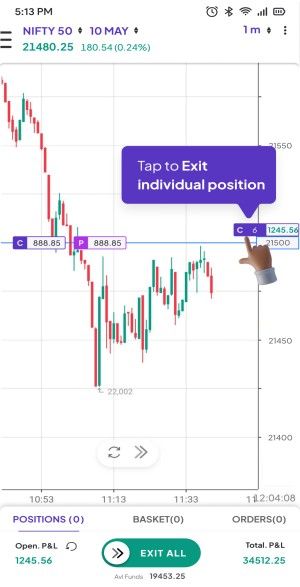
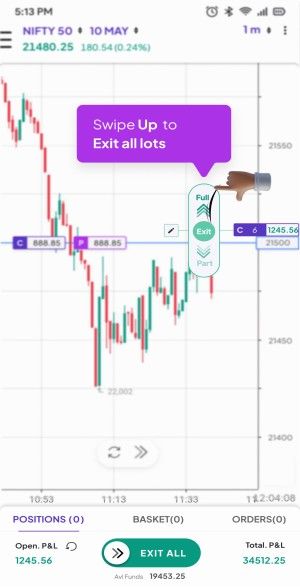
- Tap on C or P depending on the position.
- Swipe up to exit all lots.
Swipe down to exit a partial quantity.
Use the lot selector to choose quantity.
.jpg)
Tap the ✅ tick icon to confirm.
.jpg)
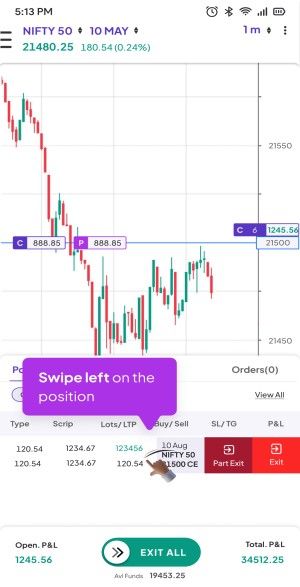
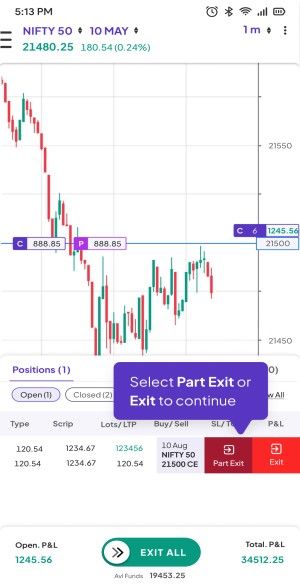
From Positions List (Bottom Slide-up Panel):
.jpg)
- Swipe up the panel to view all positions.
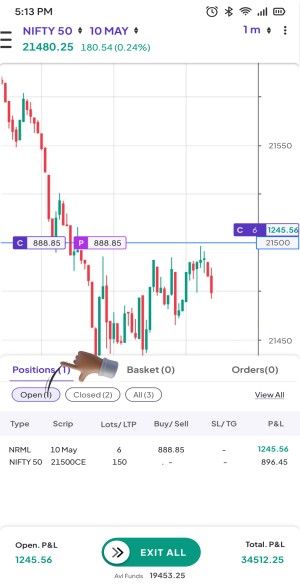
- Swipe left on a specific position.
- Choose Partial or Full Exit.
Last updated: 4 Months Ago


517Views
 How to place trades through ChartXpress ?


