
604Views
How to enable SIM Binding?
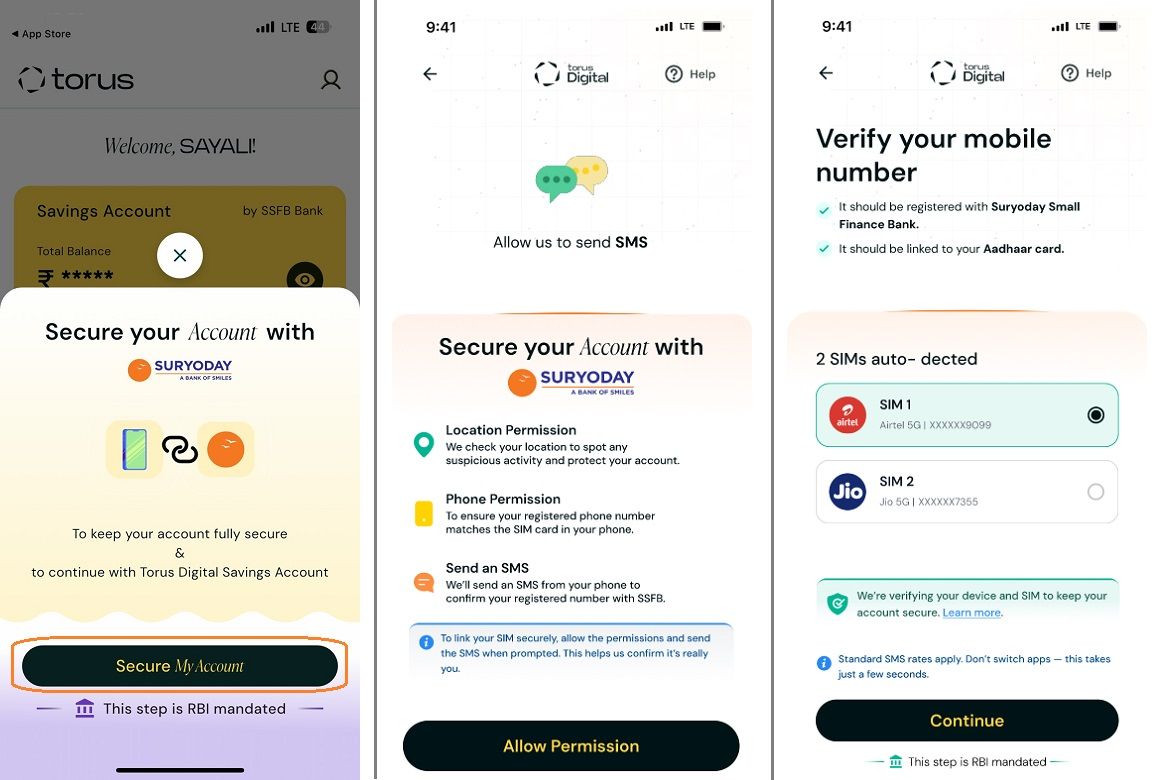
Follow these simple steps to enable SIM Binding in your device:
Step 1 : Tap “Secure My Account” when prompted
Step 2 : Grant permission for Location, Phone, and SMS access
Step 3 : Select the SIM card linked to your Torus Digital Savings Bank Account
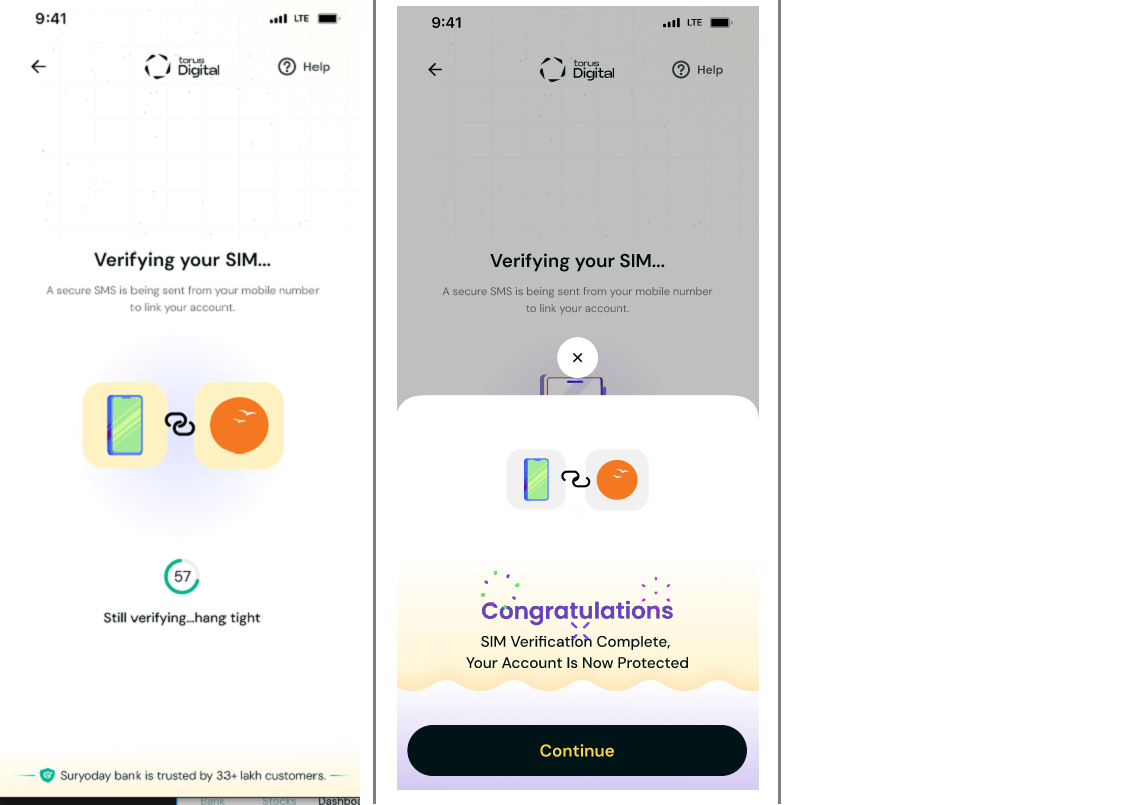
Step 4 : Tap “Continue” to activate banking services securely
Note: To access your Torus Digital savings account , SIM Binding is required. However, SIM Binding is not required to access your broking account , which remains independently accessible.
![sim binding 1.jpg]()
![sim binding 4.png]()
Check out the video below for more details.
How to enable SIM Binding?
Step 1 : Tap “Secure My Account” when prompted
Step 2 : Grant permission for Location, Phone, and SMS access
Step 3 : Select the SIM card linked to your Torus Digital Savings Bank Account
Step 4 : Tap “Continue” to activate banking services securely
Note: To access your Torus Digital savings account , SIM Binding is required. However, SIM Binding is not required to access your broking account , which remains independently accessible.
Check out the video below for more details.
How to enable SIM Binding?
Last updated: 10 Months Ago


604Views
Account Opening
 How to open an account with Torus Digital?
- How to Open a 2-in-1 Account with Torus Digital?
- How long does it take to open an account?
- Can I start trading immediately after completing the account opening process?
- Is there a separate account opening process for different segments?
- What are the charges levied at Torus?
- What is the purpose of uploading a signature during the account opening process?
- What is the purpose of uploading a selfie during the Demat account opening process with torus?
- Is account opening with Torus safe? Will my documents and data remain secure and private?
- If I exit the app during account opening, do I have to start over?


