
1kViews
How to withdraw funds?
To withdraw funds from your Torus account, follow these steps:
Step 1: Access your Torus account through the app.
Step 2: Navigate to Stocks: From the main dashboard, click on "Stocks."
![Fund withdraw1.jpg]()
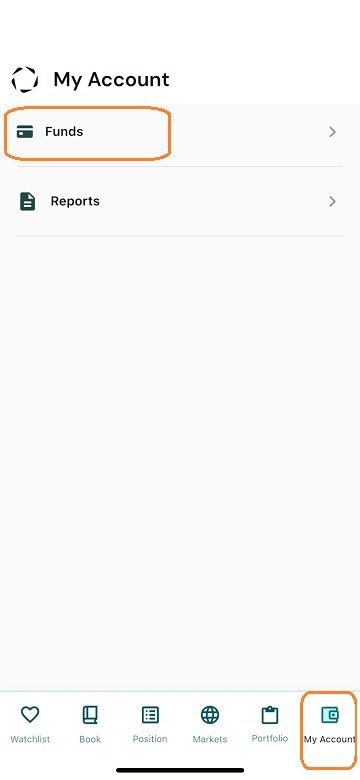
Step 3: Go to the My Account Section:
Step 4: Select the "Funds" section.
![Fund withdraw2.jpg]()
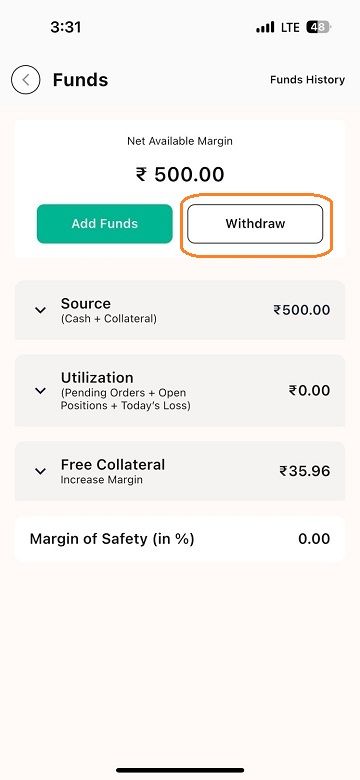
Step 5: Select Withdraw Funds: Click on the "Withdraw Funds" option, which will take you to the funds page.
![Fund withdraw3.jpg]()
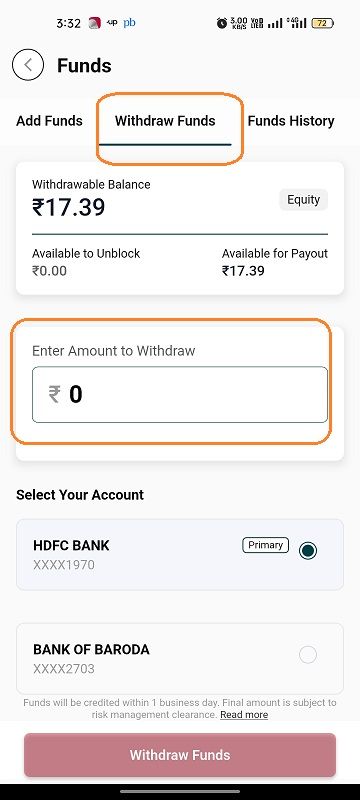
Step 6: Enter the Amount: Enter the amount you wish to withdraw.
![Fund withdraw4.jpg]()
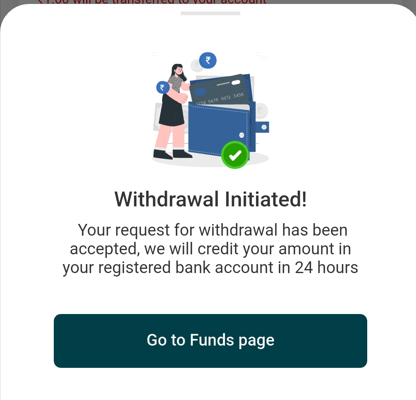
Once the process is complete, the funds will be transferred to your registered bank account. You can check the status of your withdrawal in the "Funds History" section.![Fund withdraw5.png]()
Step 1: Access your Torus account through the app.
Step 2: Navigate to Stocks: From the main dashboard, click on "Stocks."
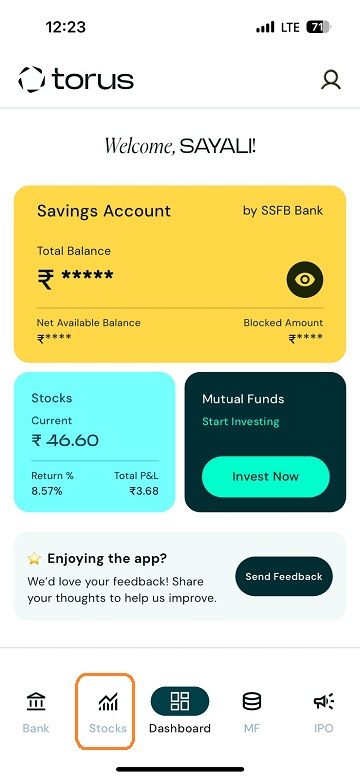
Step 3: Go to the My Account Section:
Step 4: Select the "Funds" section.
Step 5: Select Withdraw Funds: Click on the "Withdraw Funds" option, which will take you to the funds page.
Step 6: Enter the Amount: Enter the amount you wish to withdraw.
Once the process is complete, the funds will be transferred to your registered bank account. You can check the status of your withdrawal in the "Funds History" section.
Last updated: A Year Ago


1kViews
Withdraw Funds
 What is the amount available for withdrawal?
- Where can I check the status of my withdrawal request?
- When will the funds be added to my bank account after placing the withdrawal request?
- When will I get my payout if the funds withdrawal request is raised during market hours?
- Considering tomorrow is a bank holiday, when can I expect to receive my funds?
- Why was my withdrawal request rejected?
- I placed a withdrawal request 24 hours ago, why haven’t I received my money?
- Can orders be placed once withdrawal request is placed?
- Are there any maximum withdrawal limits for daily, weekly, or monthly withdrawals?


